How to connect your sources in MIRA Player
One account page. Your IPTV, debrid keys, and add-ons. Every screen after that — without retyping long credentials on a TV remote.
10 min readSign in at miraplayer.tv/account → Sources → pick the type → paste credentials → Test (when shown) → Save. Sources live on your account, not on one device. The easiest 2026 stack for most people: TorBox API key + your own IPTV. MIRA hosts nothing; Founding Early Access is $20/year.
Why the website first (not the TV remote)
Long Xtream passwords and debrid API keys were not designed for D-pads. MIRA’s designed path is: configure sources on a phone or laptop under your account, then open the TV app and sign in. The living room stays simple — profiles, browse, play — while the credential desk stays on a real keyboard.
That also matches the product story: all your sources, one player, with AI that learns your taste, on every screen you sign into. Sources are not “installed per box”; they are part of the household account.
The universal flow (every source type)
- Subscribe to MIRA if you have not — Founding Early Access, $20/year, 7-day money-back as published on the site.
- Open miraplayer.tv/account and sign in.
- Go to Sources (sometimes labeled My Services / Manage Sources depending on UI revision).
- Pick the provider type — IPTV, a named debrid, or Stremio add-on.
- Fill the few fields for that type (below).
- Hit Test when the form offers it — MIRA checks reachability and auth before you live with a silent failure.
- Hit Save / Add. The source joins resolve + catalog for that account.
- Open the app or web player, sign in, confirm content appears. Give catalog sync a moment on first connect.
Recommended first stack (2026)
If you want the least juggling:
- TorBox for on-demand — one API key, multi-device friendly posture, strong cache story. Walkthrough: TorBox setup guide · short page: Help: Connect TorBox.
- Your IPTV for live sports and linear EPG — Xtream Codes preferred when your provider offers it.
- Optional second debrid (Real-Debrid, AllDebrid, Premiumize, or Debrid-Link) if you want purge insurance. Multi-debrid guide.
Which debrid to buy: What is debrid / which debrid in 2026. Where sources come from generally: Bring your own source.
Connect IPTV (live TV + often VOD)
Xtream Codes (recommended when available)
- Server URL — the portal host your provider gave you (often starts with
http://orhttps://). - Username
- Password
- Friendly name (optional) — e.g. “House IPTV” if you manage more than one later.
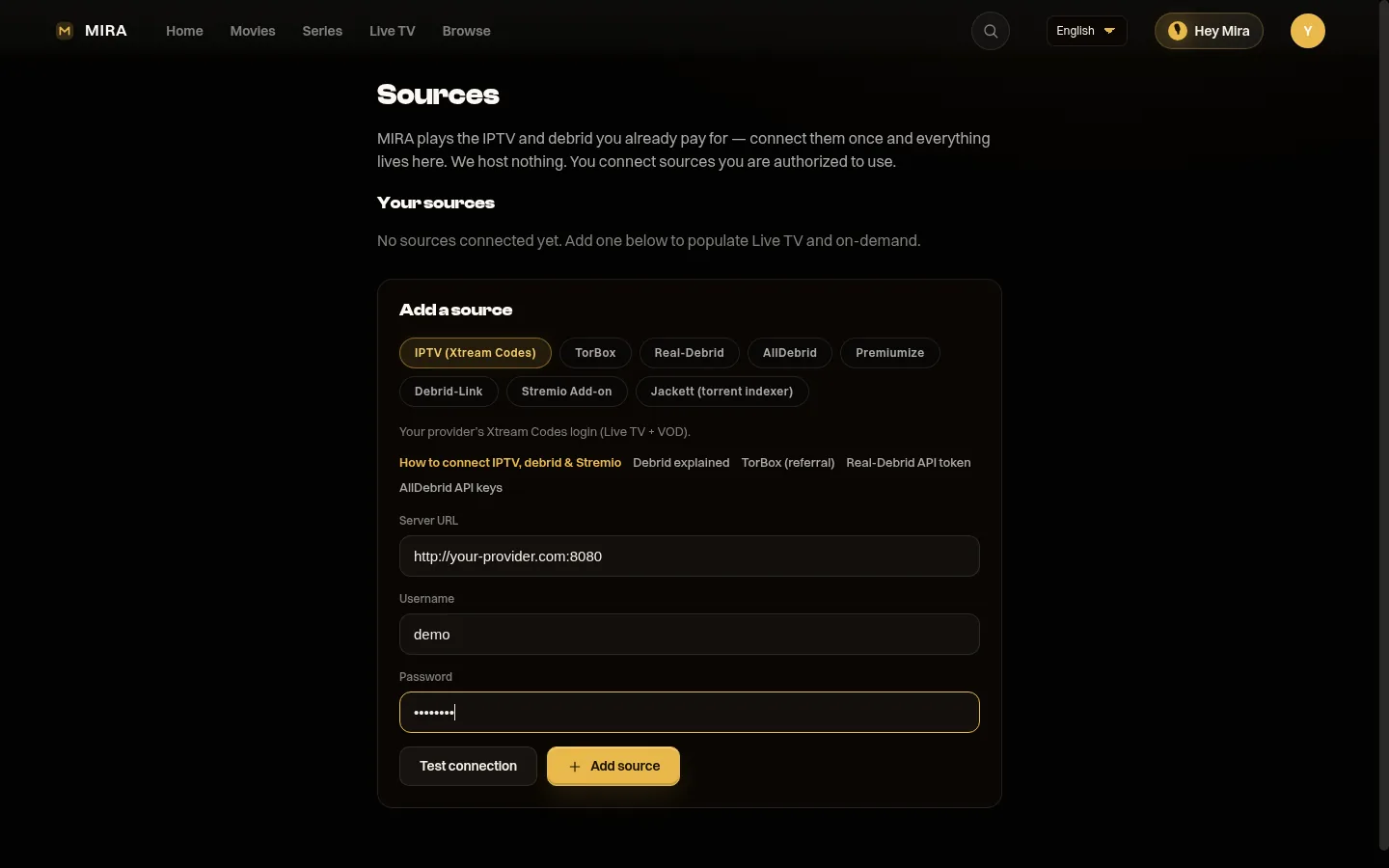
Test → Save. Live TV / Guide should populate after sync. Deep context: IPTV explained · Xtream vs M3U.
M3U / M3U8
- Playlist URL (and EPG URL if your provider supplies one).
- Some providers use a one-time token in the URL — if it expires, re-paste a fresh link.
MIRA does not sell IPTV. Only connect a service you are authorized to use. Support can help with connection mechanics; we will not broker a provider.
Connect debrid (on-demand path)
Same pattern for every provider MIRA supports:
- Create/pay the debrid on their website.
- Copy the API key / token from that site’s settings.
- In MIRA Sources, open that provider row, paste, Save.
| Provider | Help page | Typical key location |
|---|---|---|
| TorBox | /help/torbox/ | torbox.app → Settings → API key |
| Real-Debrid | /help/real-debrid/ | real-debrid.com/apitoken (signed in) |
| AllDebrid | /help/alldebrid/ | AllDebrid account / API section |
| Premiumize | /help/premiumize/ | Premiumize customer API settings |
| Debrid-Link | /help/debrid-link/ | Debrid-Link account API token |
Guard keys like passwords. If a key leaks, regenerate it at the provider and update MIRA. Background: Debrid explained.
Connect a Stremio-style add-on
- Paste the add-on’s manifest URL (usually ends in
/manifest.json). - Add-ons are catalogs/resolvers — they point at streams; they are not a substitute for owning a debrid or IPTV when those backends are required.
More: Stremio add-ons explained.
Direct torrent path
Some titles can be resolved from a magnet or .torrent you bring yourself. That path is title-scoped, not a permanent “source card” like IPTV. Responsible-use expectations apply. Details: Direct torrents explained.
What happens after you add a source
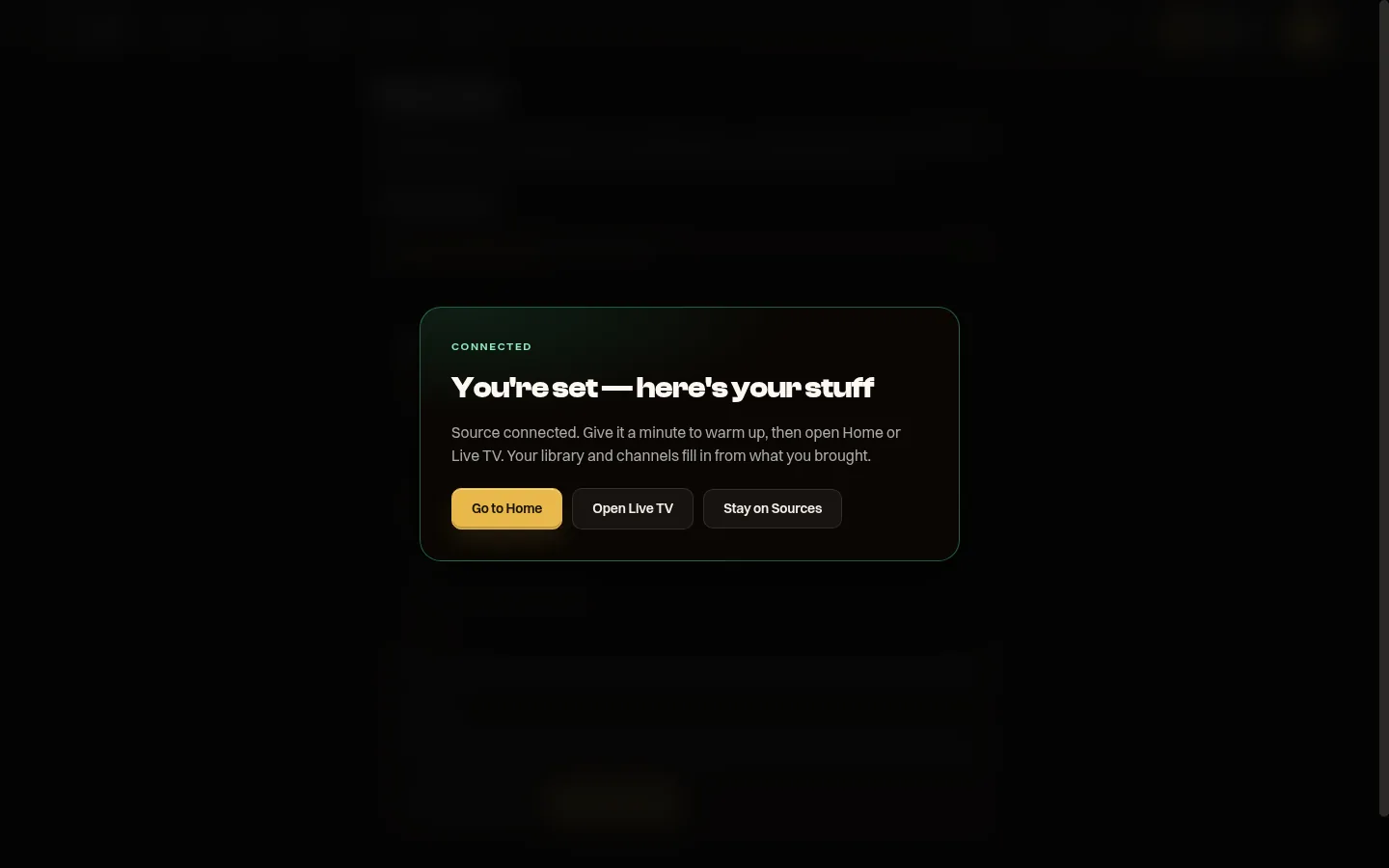
- Catalog / Live lineup fills from IPTV and add-on catalogs; debrid becomes a resolver for on-demand titles in MIRA’s owned catalog experience.
- Health-ranked resolve prefers healthier / higher-quality candidates among what you connected.
- When a source drops, MIRA tries the next ranked one automatically — strongest when you connected more than one path for that title or channel. Not a guarantee of zero interruptions (home network, ISP, and total backend outages still exist).
- AI recommendations / freshness improve as you watch — the moat is learning your taste over time, not a one-time playlist dump.
Managing sources later
- Edit — rotate a password or rename a line.
- Re-Test — after a provider outage or password change.
- Disable — pause without deleting (lapsed sub you might renew).
- Delete — remove credentials from MIRA entirely.
Revoking access at the provider (regenerate API key, change IPTV password) is the hard kill if a device is lost; then update or delete the MIRA row.
Troubleshooting
| Symptom | What to check |
|---|---|
| Test fails immediately | Typos, extra spaces, wrong provider type, expired IPTV or debrid sub, provider server down |
| Test passes, nothing plays | Title not available on that backend; try another title; confirm second source if you expected failover |
| Works on web, empty on TV | Different login email; force sign-out/in; update APK from install help |
| Live only / VOD only | Expected if you only connected IPTV or only debrid — add the missing type |
| Buffers | Wi-Fi/device limits or cold debrid fetch — buffering guide |
Coming improvements (honest status)
A planned convenience: paste a screenshot of a provider credential page and have fields fill automatically. Until that ships, the manual fields above take seconds on a phone. Multiview and other roadmap items are not claimed as live features here.
Responsible use
MIRA plays what you connect. Legality of those sources in your country is your responsibility. We do not host, bundle, or endorse content libraries. Connect only what you are authorized to access.
Plug in your sources. One premium player that learns you.
Founding Early Access — $20/yearFAQ
Do I have to reconnect sources on every TV?
No. Connect once on the account page. Sign in on each device.
Can I connect more than one debrid?
Yes — and after the 2026 Real-Debrid cache change, many people should. See the multi-debrid guide.
Does connecting a source make MIRA a content seller?
No. You still pay the IPTV/debrid providers directly. MIRA is the player and intelligence layer.