v0.1.65 — Founding Early Access

Founding Early Access. Android TV / Google TV / older Fire OS (sideload). Newest Vega OS Fire TVs can’t sideload — use Google TV or the web app. You connect your own sources.

Download MIRA Player

The AI-first player for every source you already pay for. Install on Android TV or Google TV, open the web player, or grab the early-access desktop app for Windows, Mac, or Linux. One account. Your sources. Twenty dollars a year.

Download MIRA Player

Stripe first — then your login link arrives by text or email.

Amazon Firestick / Fire TV

  1. On your Firestick, go to Find → search for Downloader and install it.
  2. Open SettingsMy Fire TVDeveloper Options.
  3. Enable “Apps from Unknown Sources” for the Downloader app.
  4. Open Downloader and enter this URL exactly:
    miraplayer.tv/apk
  5. Wait for the download, then tap Install.

Google TV / Android TV Box

  1. Install Downloader from the Google Play Store on your device.
  2. Open Downloader and enter this URL exactly:
    miraplayer.tv/apk
  3. Wait for the download, then tap Install.

Prefer your browser? MIRA also has a true web player at miraplayer.tv/app — sign in and watch in any browser, no install. Or push the APK via ADB: adb install MiraPlayer-latest.apk

Desktop — Windows, Mac & Linux (early access)

Early access — free with your membership. Unsigned builds: your computer will warn you once; that's normal for early access (install notes included).

Check your download against the SHA256 checksums. Prefer no install? Open the web player at miraplayer.tv/app — it works in any modern browser, including iPhone and iPad Safari.

What you need

  • An Android TV, Google TV, or Firestick device — any modern web browser — or a Windows, Mac, or Linux computer for the early-access desktop app.
  • Your own sources: IPTV (Xtream Codes), debrid (Real-Debrid, AllDebrid, Premiumize, DebridLink, TorBox), torrent connections, and/or Stremio add-ons — your credentials, stored on your account, never shared.

MIRA Player is the best app for your content — never the source of it. You bring your own sources; we host nothing.

Connect a source in about a minute

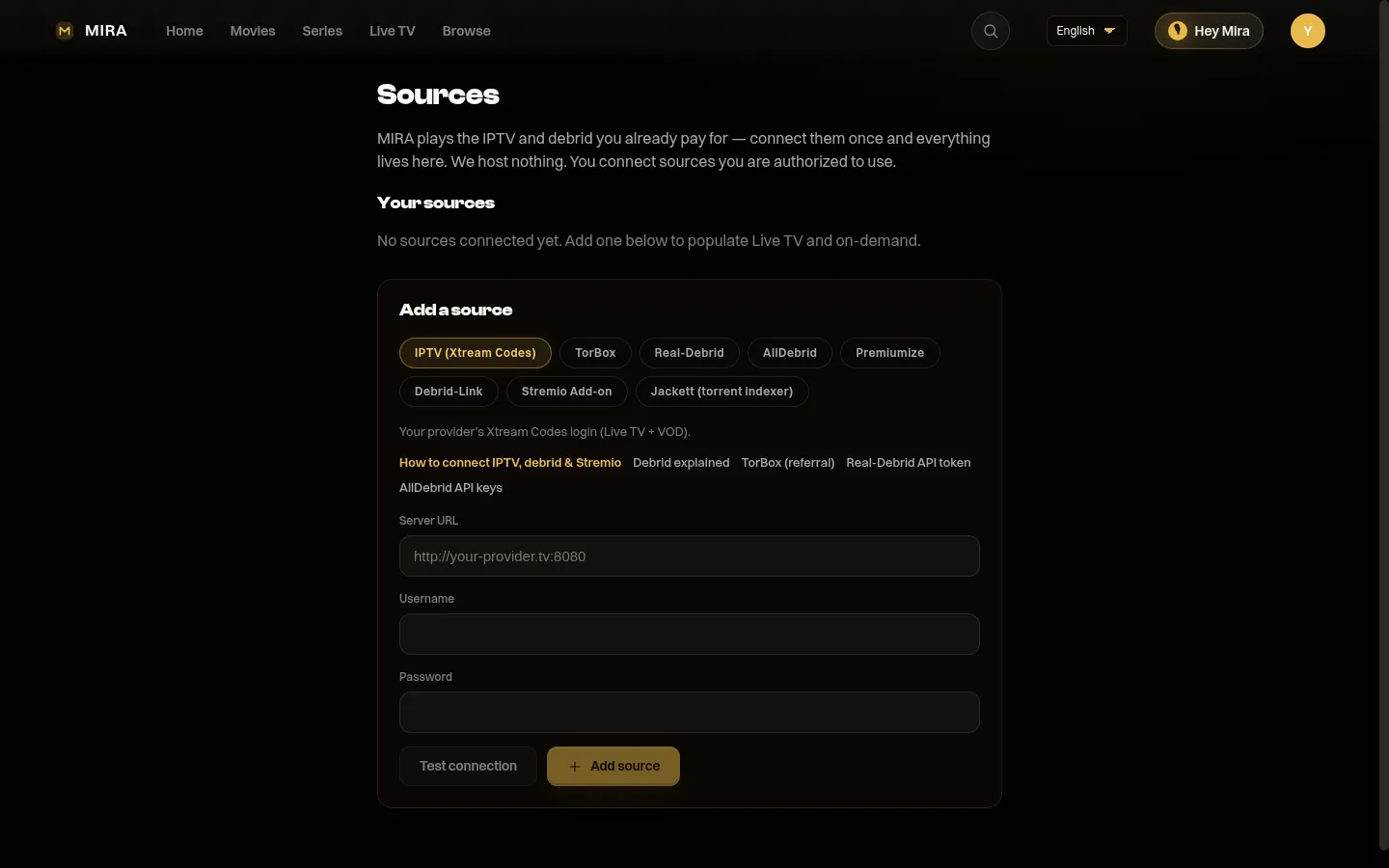
MIRA Player Sources page — connect IPTV (Xtream Codes), TorBox, Real-Debrid, AllDebrid, Premiumize, Debrid-Link, a Stremio add-on, or Jackett

1. Open Sources and pick your source type.

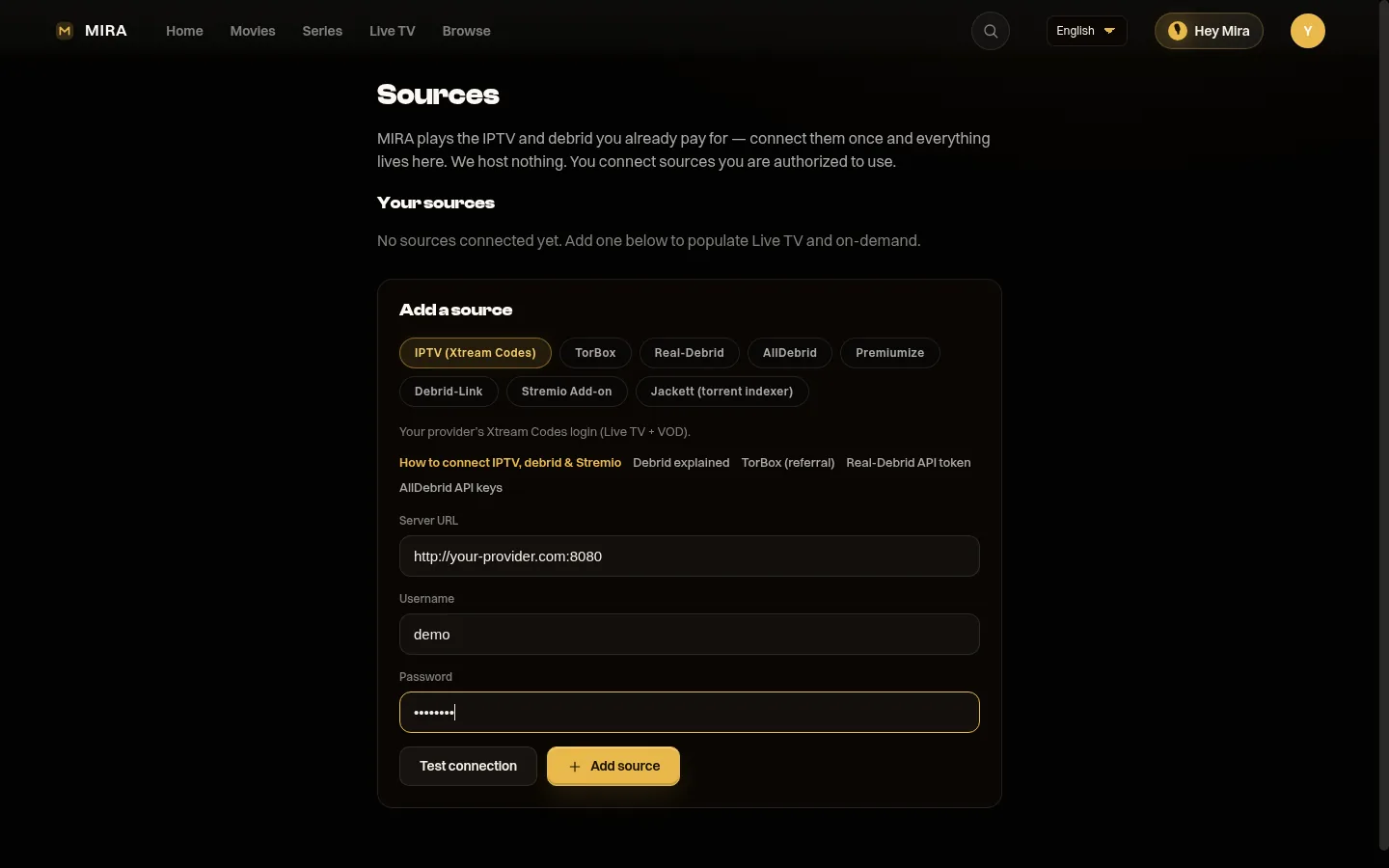
Connecting an IPTV source in MIRA Player — paste your provider's Xtream Codes server URL, username, and password

2. Paste your login — we test it for you.

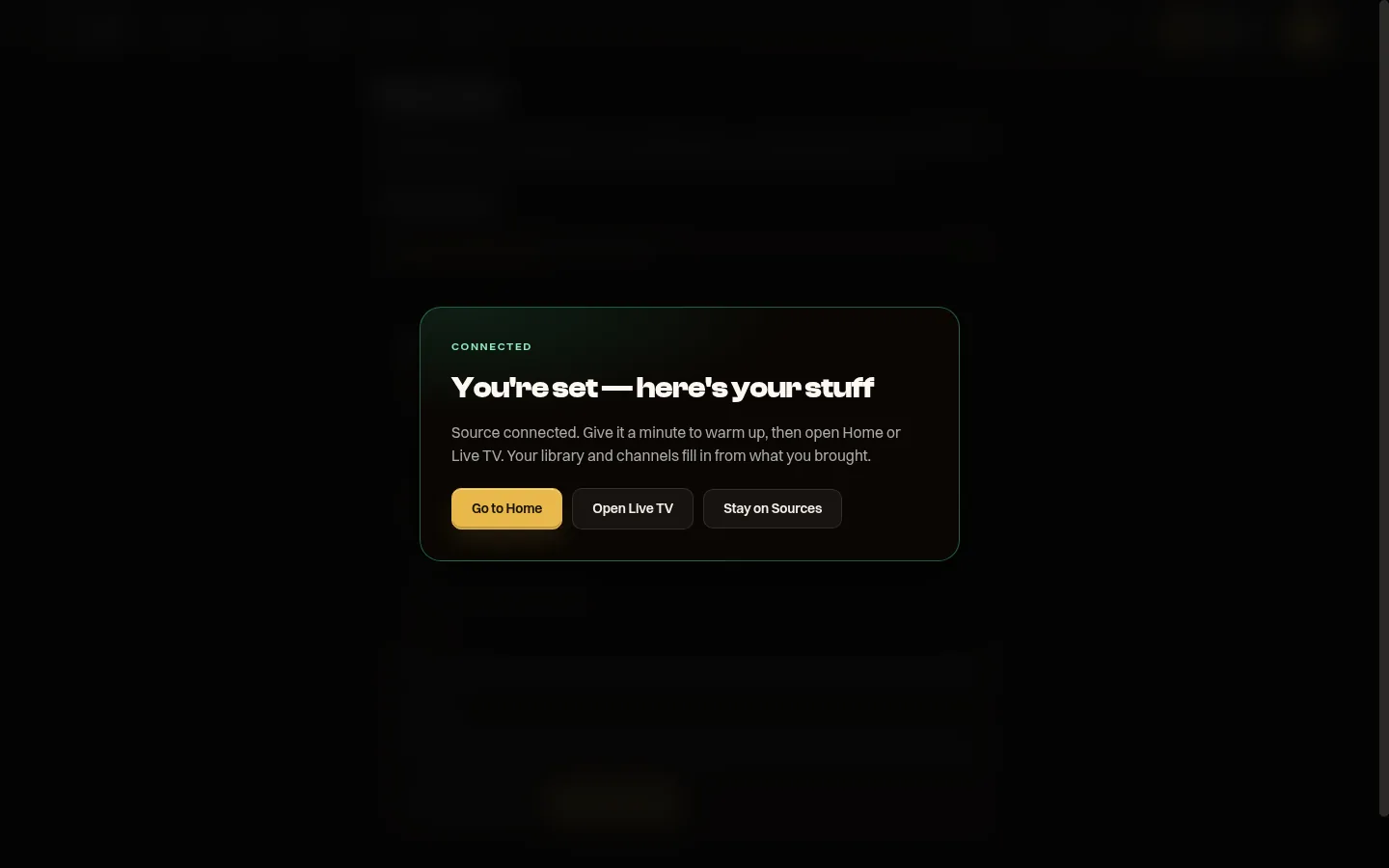
MIRA Player confirms your source is connected — head to Home or Live TV while your library fills in

3. That's it — your library fills in.

Full walkthrough: How to connect your sources in MIRA Player.