✦ Live nowNow on Google Play for Android TV and Google TV. Web player today, desktop in early access. $20/year or $99 lifetime.
Your IPTV and debrid. One premium player.
MIRA Player is a media player for the IPTV and debrid services you already pay for. Connect them once on the web; no media server to maintain. One home, history-informed picks, and your place kept.
New here? Create accountFree to sign up. Playback needs a plan.
MIRA Player is a media player. It provides no channels, movies, or content. You connect your own sources and are responsible for using services you're authorized to access.
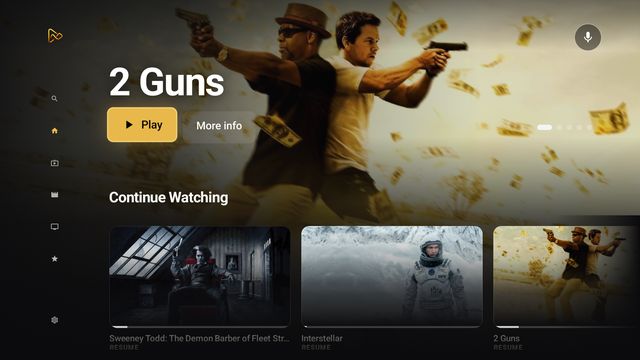
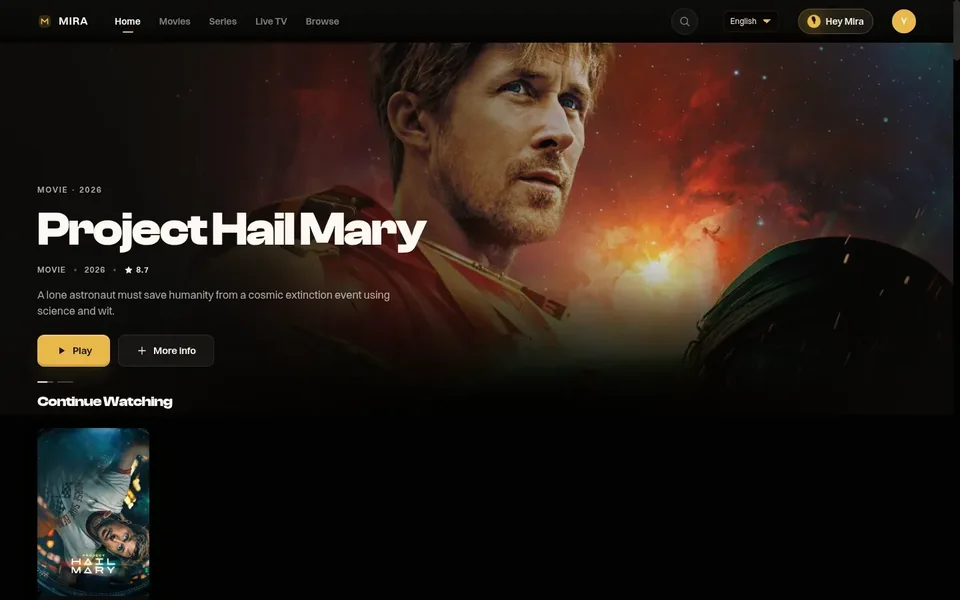
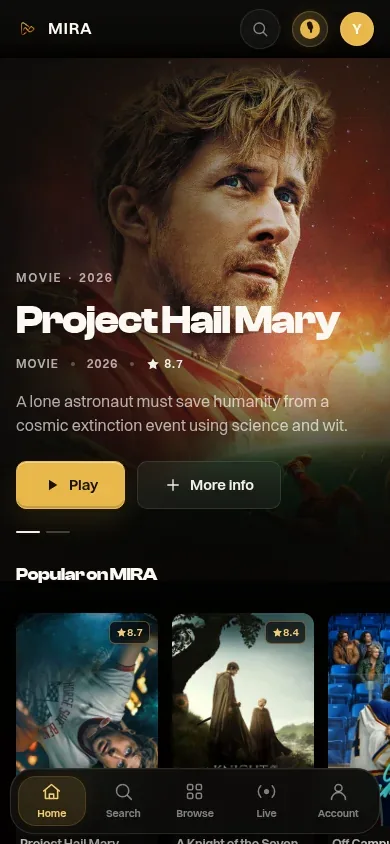
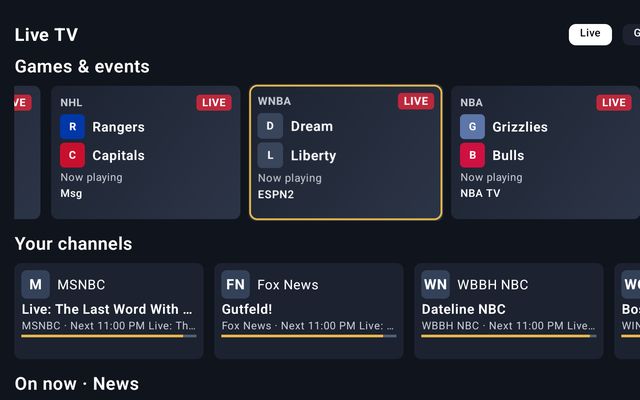
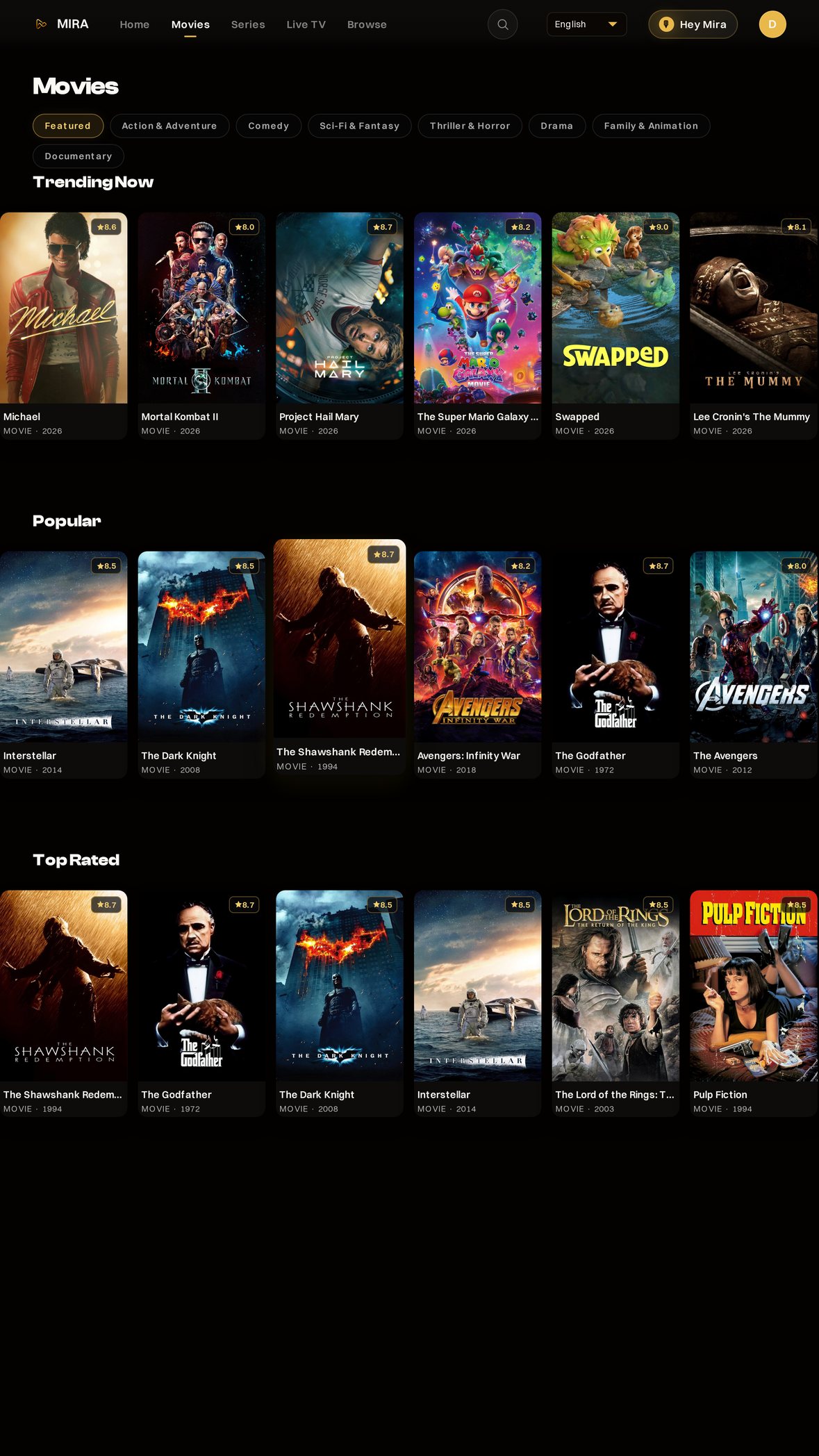
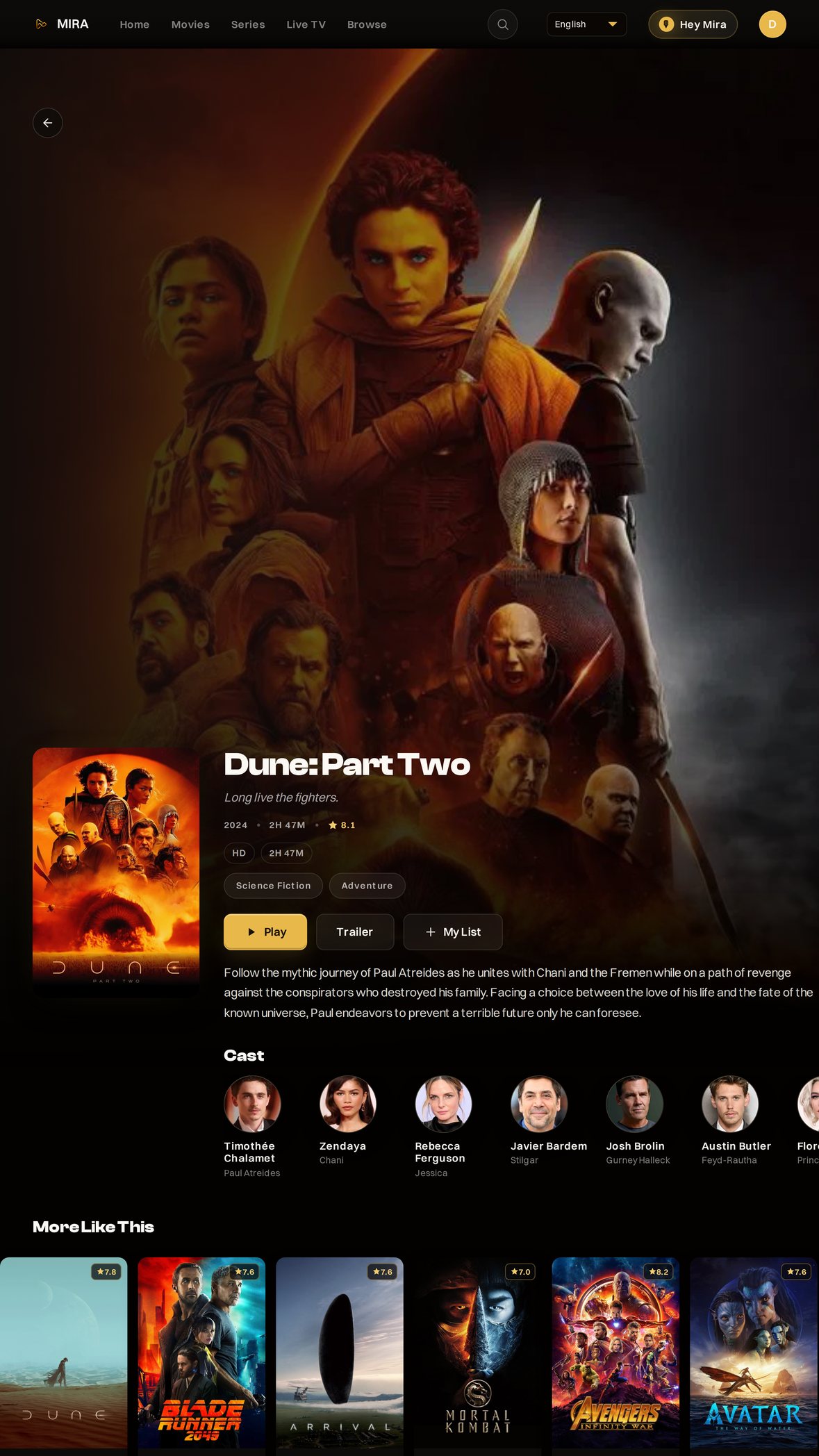
Real screens: the Android TV app, and the web player on a laptop and a phone. Setting is illustrative.
One account, every screen.
One membership covers every available app below. Continue Watching follows you from the TV to the browser to your computer.
No Apple TV app yet. iPhone and iPad use the web player today.
Meet MIRA
MIRA is the guide inside MIRA Player.
MIRA Player is one player for your IPTV and debrid. Meet MIRA, its built-in guide: it learns what you like, searches in plain English, and builds one home from the sources you already pay for.
Ask MIRA
“Hey MIRA, an action comedy”
“Something like Interstellar”
“Live football”
TastePrint picks.
Home opens on rows built around you, not a dump of everything a provider carries.
TastePrint watches what you play and builds For You rows, plus a row of titles like the one you just finished.
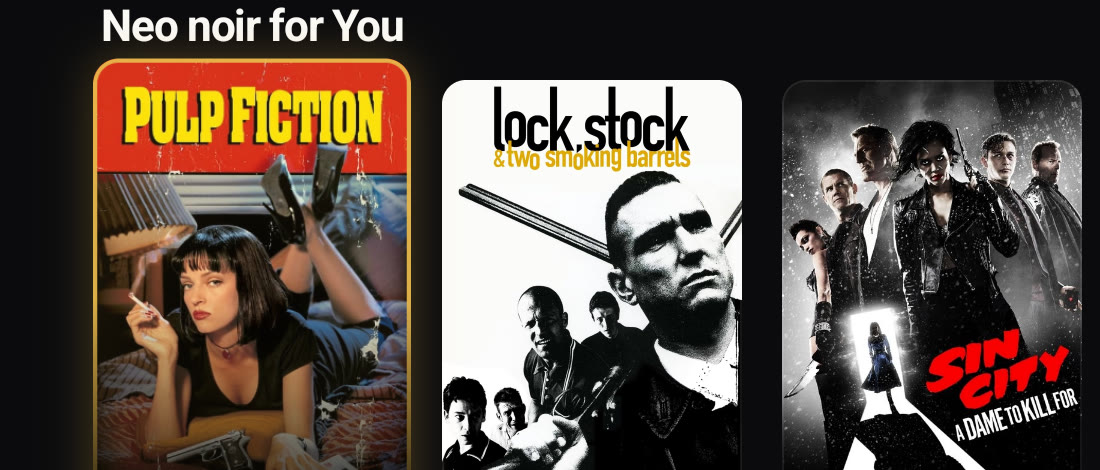
For You rows on Home and in Movies
Similar titles after something you watched
Picks only from sources you connected
For You rows in Movies. Titles come from your sources.
Plain English, and your voice.
You do not have to remember the title. Describe the movie, or say it.
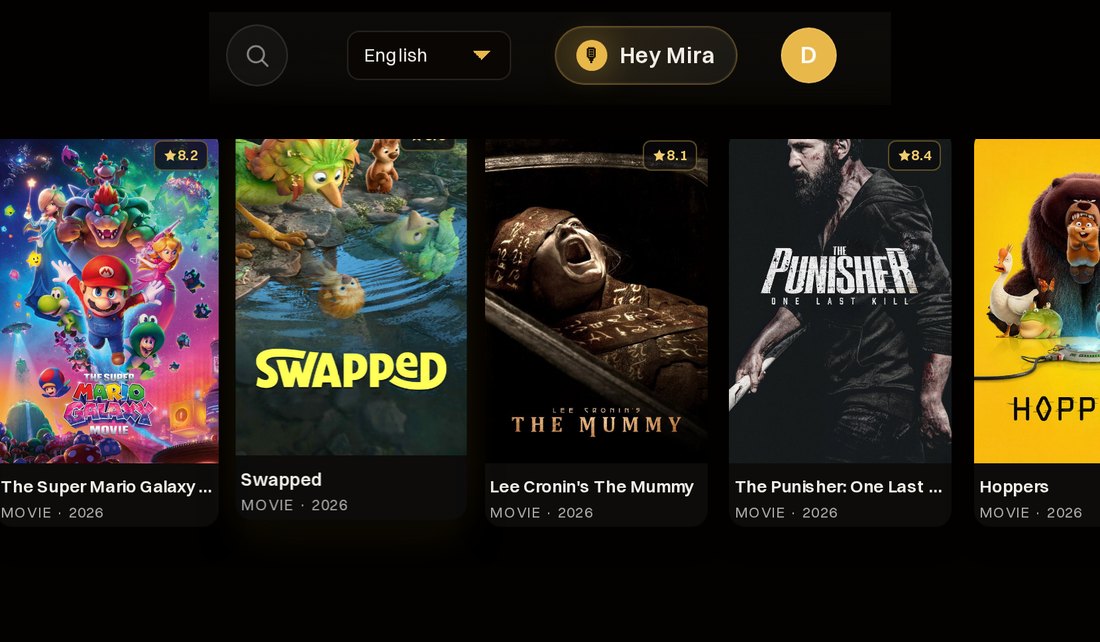
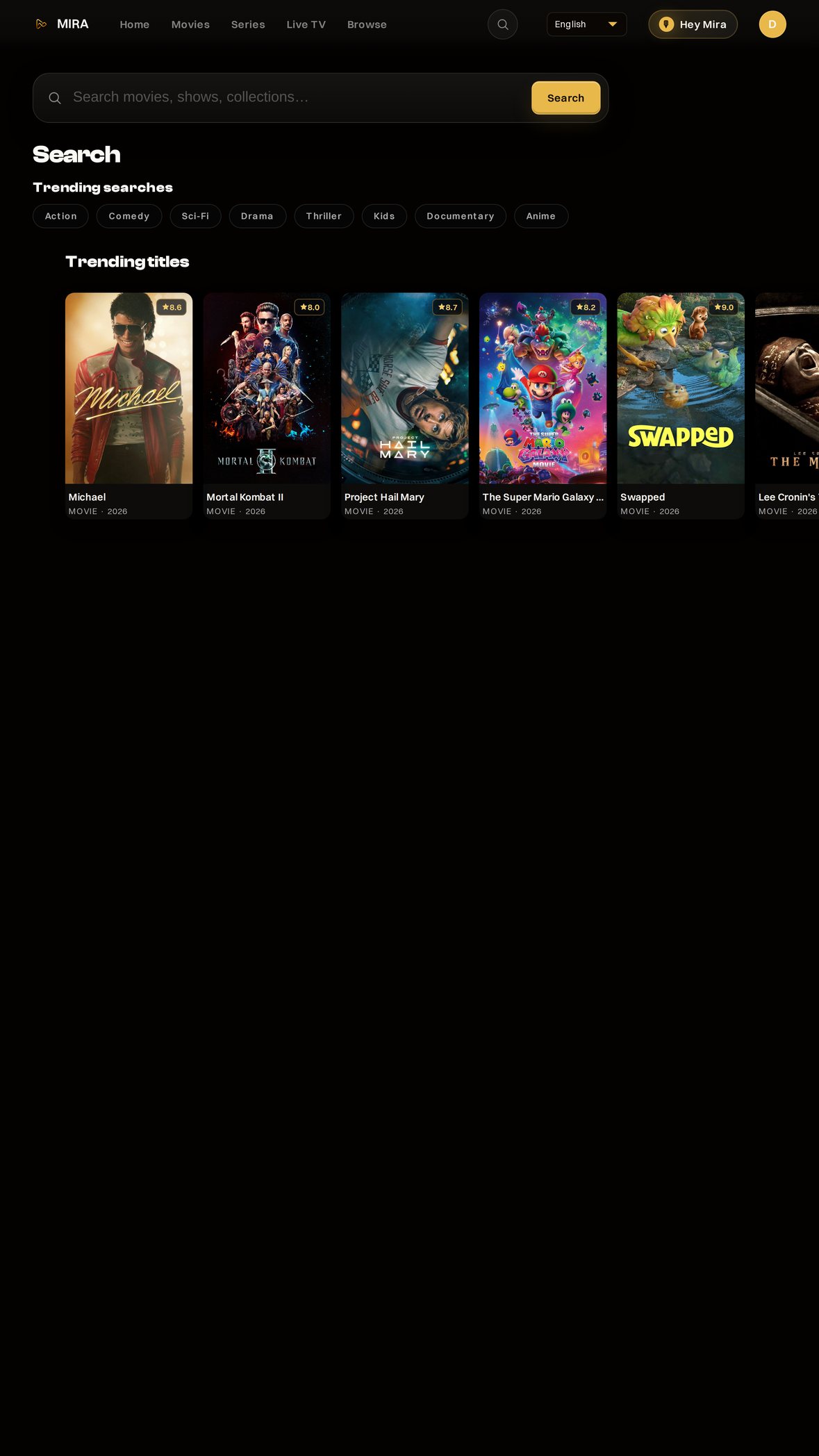
Hey MIRA is in the web player today at /app/heymira. Hold the mic, or type a request like “an action comedy from the 90s,” and it searches the catalog you connected. Already know the title? Just type it into Search.
Hey MIRA in the web player at /app/heymira
Hold the mic and ask, or type your request
Title search when you already know the name
Hey MIRA on Home is coming next.
Hey Mira in the current app, beside Search. Cropped from a real screen.
Set it up once. Then it is easy.
No server to set up or maintain. Connect once on the web and watch.
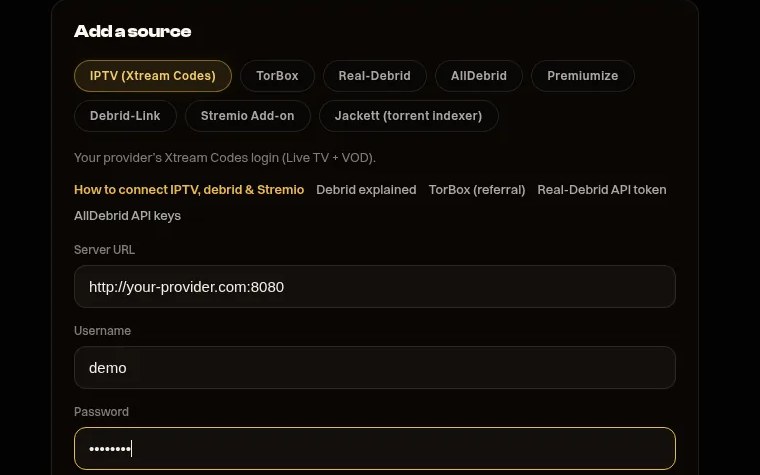
Add IPTV, debrid, and add-ons on the Sources page. Every screen you sign into picks them up: one home, your place kept.
Plug and play, no server to run or maintain
One home on every screen you sign into
Support by email or phone
Live TV on Android TV. Connect once on the web.
How it works
Movies on demand. The game without the channel hunt.
Connect your IPTV and debrid once on the web. Movies and shows land in one home. Live TV and sports get their own treatment: one card for each game in your guide, with the channels in your lineup that are airing it lined up behind a single Play button.
Movies & shows Your IPTV and debrid catalogues, in one place.
1
Add your source
Paste your IPTV login or connect your debrid account once, on the web.
2
Everything in one home
Movies, shows and channels from every source share one home. The program guide is in the web player, when your source supplies it.
3
Press play
Pick a title. It plays on your device, straight from your own source.
4
Continue anywhere
Stop on the TV, pick it up in the browser or on your computer. Continue Watching follows your account.
Live TV & sports Stop scrolling thousands of channels to find the game.
1
Find the game, not the channel
In Live TV, MIRA shows one card for each game in your guide, live now or starting soon, built from your own lineup. Pictured: the newest Android TV build, not yet on every TV.
Illustration of one game card and the channels lined up behind it.2
The channels airing it, behind one Play
MIRA gathers the channels in your lineup that carry the game, up to 24 of them, ranks them and puts them behind one Play button. No scrolling, no guessing which one has it.
Real screens from the current app. Tap the screen, use the remote, or your arrow keys.
On your phone
Web player on a phone today. There is no native iPhone or iPad app yet.
Home. Your next watch.
Movies. Browse titles.
Live TV. See what is on.
Title. Take a closer look.
Search. Find a title.
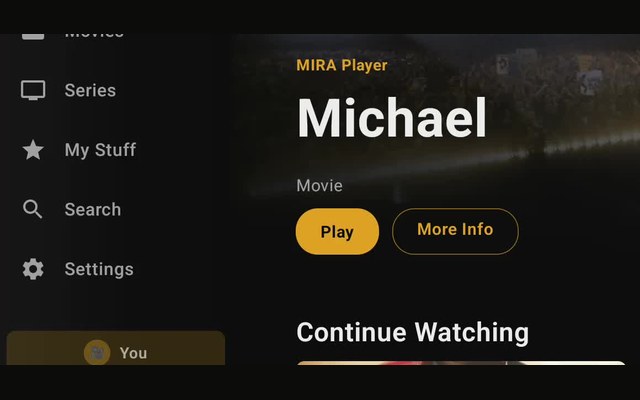
Home. The featured title, then Continue Watching from your sources.
Live TV. Your channels and what is on now, from your IPTV.
Movies. Rows picked for your taste. Every poster opens its own title page.
Series. Shows from your sources, in rows. Every poster opens its own title page.
Title: Spy. Play starts it on your TV from your own source; the last button picks the source.
Title: Sweeney Todd: The Demon Barber of Fleet Street. Play starts it on your TV from your own source; the last button picks the source.
Title: 2 Guns. Play starts it on your TV from your own source; the last button picks the source.
Title: Bad Boys II. Play starts it on your TV from your own source; the last button picks the source.
Title: Jump Street. Play starts it on your TV from your own source; the last button picks the source.
Title: Central Intelligence. Play starts it on your TV from your own source; the last button picks the source.
Title: Back in Action. Play starts it on your TV from your own source; the last button picks the source.
Title: The Bad Guys 2. Play starts it on your TV from your own source; the last button picks the source.
Title: Twisted Metal. Play starts it on your TV from your own source; the last button picks the source.
Title: Fast & Furious Spy Racers. Play starts it on your TV from your own source; the last button picks the source.
Title: Lethal Weapon. Play starts it on your TV from your own source; the last button picks the source.
Title: The Tick. Play starts it on your TV from your own source; the last button picks the source.
Title: The Legend of Vox Machina. Play starts it on your TV from your own source; the last button picks the source.
Sources (web). Connect IPTV and debrid once, on the web. Every screen picks them up.
Real screens from the Android TV app. Arrows move, OK or Enter selects, Back or Esc goes back. Sources is the web page where you connect IPTV and debrid.
Maintained for you
A catalogue that stays fresh while you just watch.
You should not spend the night fixing a raw playlist.
MIRA keeps the metadata catalogue current: posters, search, and TastePrint history-informed recommendations. The shows still come from your own sources.
Metadata kept current, not a dump you fix yourself
TastePrint on titles, not only the provider name
Search in plain English when you remember the vibe
Movies browse in the current app.
One premium UI
IPTV and debrid in one home screen.
Your IPTV is good at live channels. Your debrid is good at movies. Neither one knows the other exists.
Connect IPTV, debrid, and add-ons once. After that it is one home screen. MIRA plays what your connected sources can provide.
IPTV, debrid, and add-ons on one home screen
One remote. Pick a title, MIRA plays it
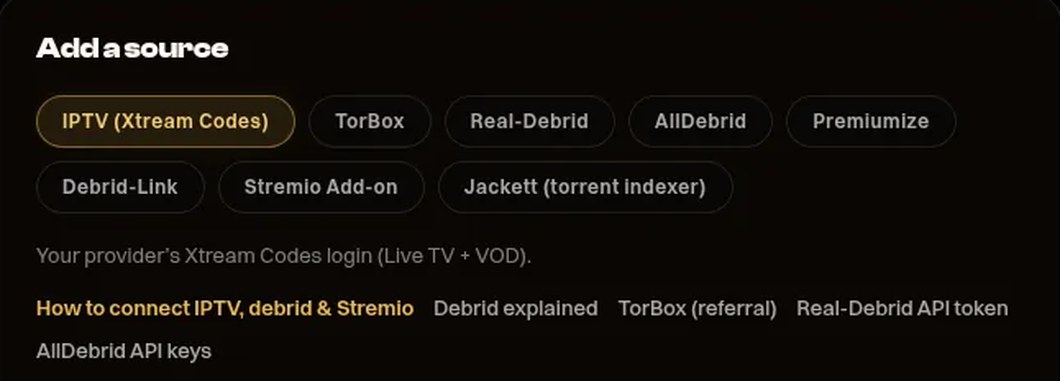
Add a source, on the web. Real screen from the current app.
One account
Log in anywhere. Your place is saved.
Your sources belong to your account, not to one box.
Watch on the Android TV or Google TV app, or in the web player on a computer. Same library, same progress, same watchlists.
Web player. Nothing to install
Android TV and Google TV on Google Play
Desktop apps for Windows, Mac, and Linux in early access
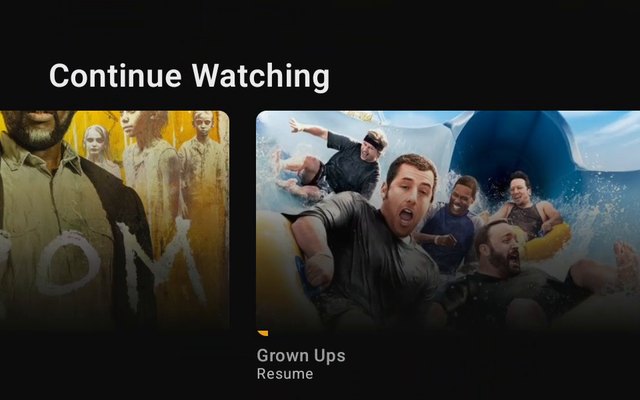
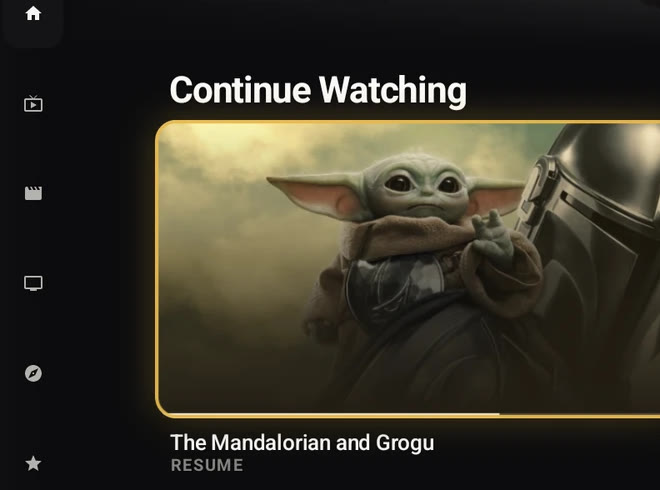
Continue Watching, with Resume, in the current app.
Live TV
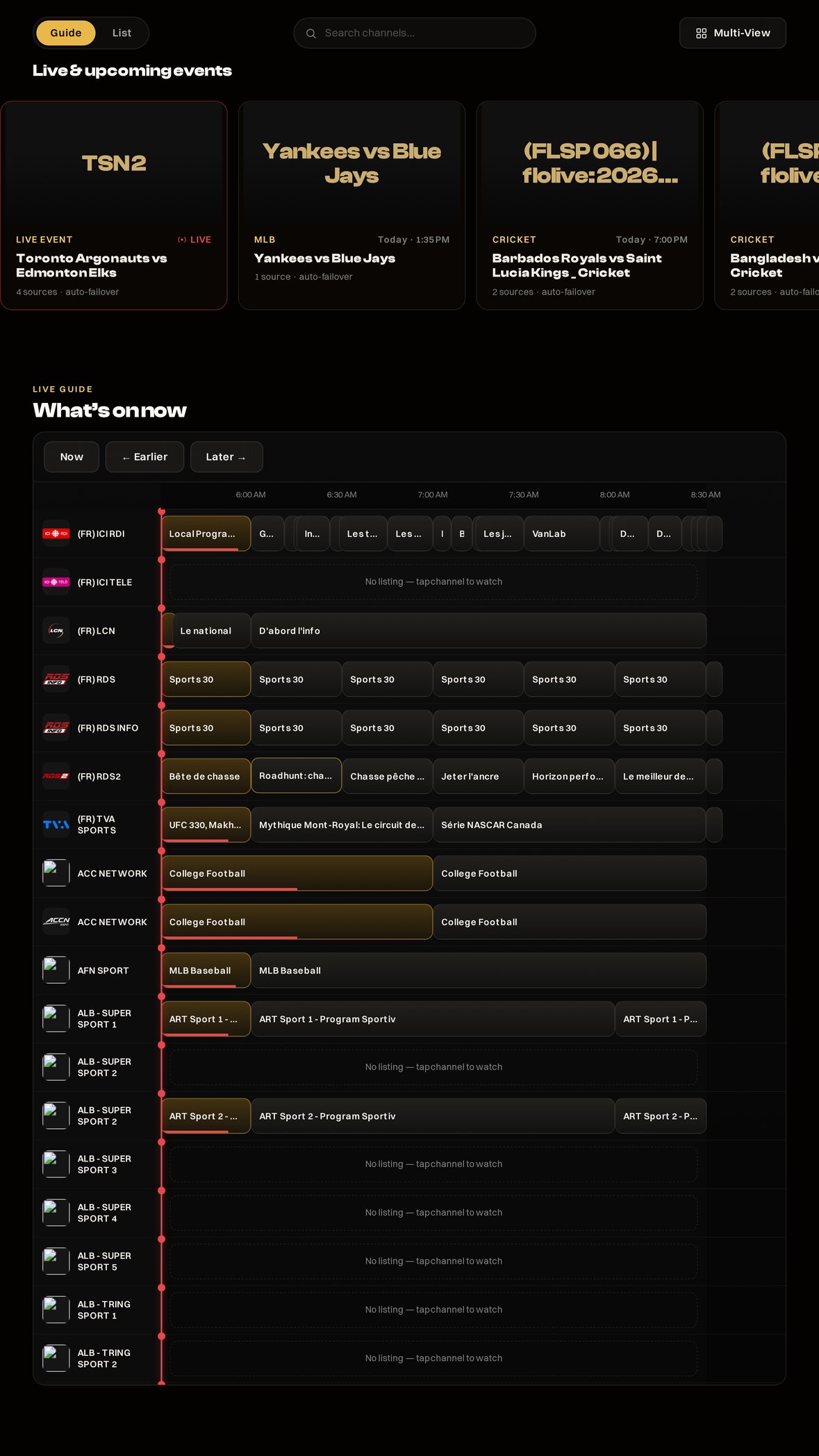
A real TV guide. What is on now.
Your provider hands you thousands of channels in one long list. Finding the game takes longer than the game.
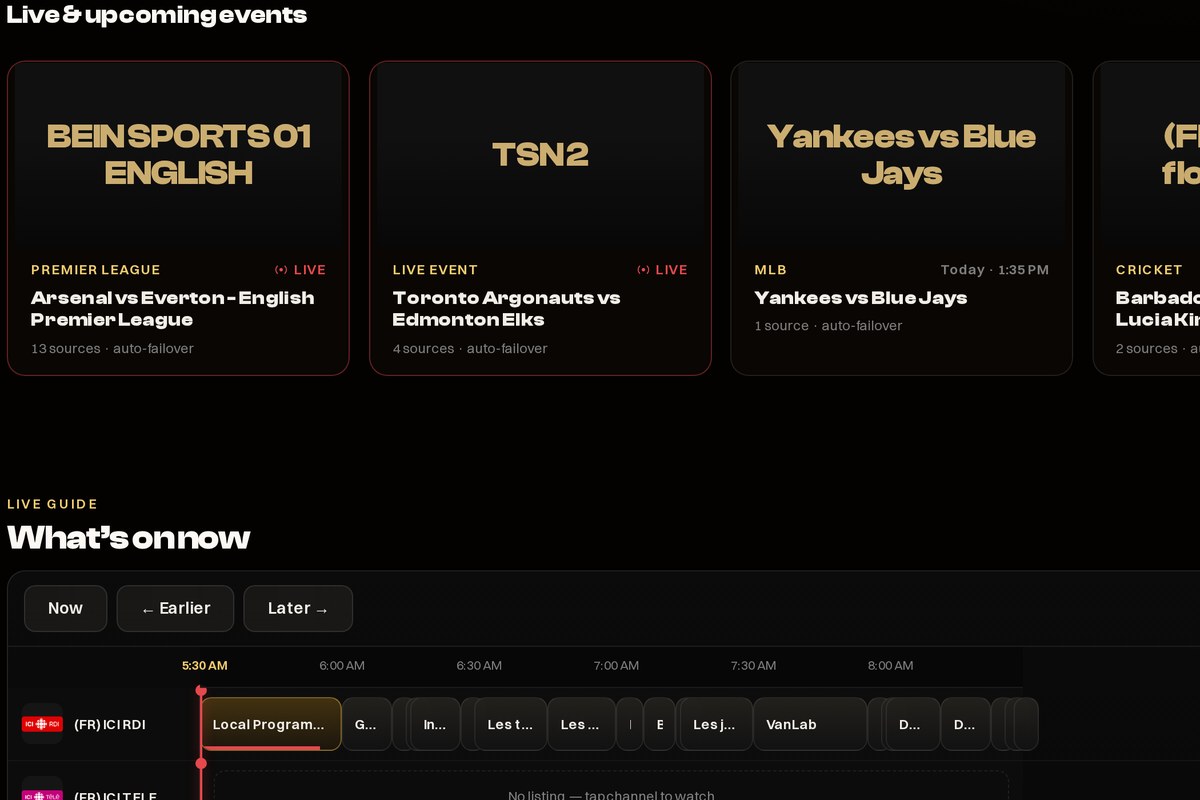
In the web player, MIRA shows the program guide from your provider, when your source supplies it. Coverage varies by source, and live events go on top. On Android TV, channels are grouped by category.
Program guide grid in the web player
Channels by category on Android TV, with a 2 SOURCES badge
Live guide in the current web player.
On your remote
Built for the remote, easy for everyone.
Big text, smooth menus, all driven by your TV remote. No touchscreen, no manual.
Up to six profiles including Kids, with an optional parent PIN. Each profile has its own avatar and watchlist. Continue Watching is shared across the adult profiles on an account, and a Kids profile keeps its own. You stay responsible for who accesses what.
Up to 4K, HDR (source/device dependent) and Atmos when your source and device support them. Subtitles and multiple audio tracks included.
Multi-view: up to 4 streams at once in the web player on a desktop browser, when you have more than one source connected.
What you are actually buying
You already pay for your sources. MIRA is the player.
MIRA does not replace your IPTV or your debrid subscription. It is the premium layer on top: one catalogue, one resume, one place your sources live.
Up to 6 profiles, Kids with an optional parent PIN
Support by email or phone
Or $99 lifetime. Both prices are web prices; Google Play prices differ. MIRA web purchases have a refund window of 7 days from your first payment; Google Play purchases follow Google's refund process.
Who is behind it
A real company that makes the player, never the source.
MIRA Player is a US-based company. The license agreement is governed by Florida law.
Our terms, privacy policy, refund policy and DMCA policy are published pages you can read before you pay. Nothing here is behind a forum login.
The player is the whole product, and your own sources are what you watch.
Support
Email [email protected] any time: our automated support desk checks what your account actually reported before it answers. Or call (239) 402-9901.
Web purchases: 7-day refund on your first payment. After that window, cancelling stops the renewal and is not prorated. App store purchases follow that store's process.
We do not host, provide, sell, curate, index, or distribute channels, movies, shows, playlists, streams, torrents, or media files. Video is decoded on your device. Your source logins are encrypted at rest and only decrypted on our servers to start playback. We never sell or share them.
Live today: the web player and Android TV / Google TV on Google Play. Windows, Mac and Linux apps are in early access. iPhone and iPad use the web player in Safari. There is no native iPhone or iPad app yet.
Payments are processed securely. One account covers your household's supported screens.
Why MIRA
Switching from TiviMate or Chillio? Here’s what you get.
Keep your IPTV provider and your debrid, whether you came from TiviMate, Chillio or IPTV Smarters. MIRA turns them into one TV app that puts each game on one card and keeps your place on every screen.
01
Find the game, not the channel.
Live sports get one card per game in your guide, with up to 24 channels from your lineup that are airing it lined up behind a single Play button. No scrolling through thousands of channels.
02
IPTV and debrid, one premium home.
Your IPTV channels, movies and shows from Real-Debrid, TorBox, AllDebrid, Premiumize or Debrid-Link, and your Stremio add-ons sit together with real posters, artwork and details. It feels like a streaming service, not a playlist.
03
One membership, every screen.
Android TV, the web player and the desktop app share one account. Stop on the TV, pick it up on your laptop: Continue Watching follows you.
04
Built for the remote.
Big posters, a clear focus ring and menus made for a D-pad. You add sources once on the web, so you never type a playlist link with the remote.
05
A real company, real support.
MIRA Player is a US-based company. Email [email protected] any time, or call (239) 402-9901.
Simple pricing
$20 a year. Or $99 once.
No monthly bill. One membership covers your TV, browser and computer, and web purchases have a 7-day refund on your first payment.
MIRA Player
$20 a year, or $99 lifetime
Chillio
$4.99 a month, $29.99 a year, or $99.99 lifetime
Chillio Premium (Personal) prices as listed on chillio.app, October 2026.
Want the detail? Read MIRA vs TiviMate and MIRA vs Chillio. MIRA plays the sources you connect; it doesn’t sell channels or movies.
Live product
What you can use today.
Everything under Built today works right now, on the plan you buy today.
Built today
Built
Every source in one player
IPTV, debrid, your own Jackett search, and Stremio add-ons. Connect them once on the web, and every screen you sign into picks them up.
Built
A web player that handles real-world files
Watch in the browser on a laptop or phone, with nothing to install. What plays depends on your browser and your source's file formats.
Built
Provider-supplied program guide + live-events row
Program guide from your provider, when your source supplies it. Coverage varies by source. Plus a row for big live events with real event art. Live in the web player today.
Built
A metadata catalog MIRA organizes, plus TastePrint picks
TastePrint uses title metadata: a fingerprint of its mood, themes, and feel. That powers For You, similar titles, and plain-English search.
Built
Great picture, profiles & Kids
4K and HDR when your source, streaming device and TV support them. Up to six profiles including Kids, with an optional parent PIN.
Built
Multi-view
Multi-view: up to 4 streams at once in the web player on a desktop browser, when you have more than one source connected.
Built
Hey MIRA in the web player
Hold the mic and ask, or type, at /app/heymira in the web player.
Built
Desktop apps
Windows, Mac, and Linux apps, in early access.
On the roadmap
Planned
iPhone, Apple TV & Roku apps
iPhone and iPad use the web player in Safari. There is no native iPhone or iPad app yet.
Two ways to own it
Premium pricing. One payment or one a year.
$20/year keeps the service current. $99 lifetime is one payment for the same experience.
Annual. Recommended
$20/ year
$20/year, billed annually · service stays current
Maintained metadata catalog
Your IPTV, debrid, Stremio add-ons and your own Jackett search in one player
Continue Watching + cross-device sync
TastePrint picks + history-informed For You
Web and Android TV today; desktop apps in early access
Provider-supplied program guide with live events in the web player
Family and Kids profiles
Updates included while your plan is active
One account per household. Web purchases: 7-day refund on your first payment. Cancel any time.
Lifetime
$99once
Same premium product · one payment
Same features as annual, with no renewal
No renewals to manage
Same premium player as annual
Perfect if you already know this is your home player
One payment. Same premium player. Web purchases: 7-day refund on your first payment. Review the refund policy.
MIRA Player requires your own authorized content sources (IPTV subscription, debrid, Stremio add-ons or a Jackett search). Live TV needs IPTV/M3U channels; debrid alone does not provide channels.
After you buy
From payment to watching, when your source is ready.
Choose $20/year. Secure PayPal checkout. Or choose $99 lifetime.
Your sign-in link arrives by email. Once payment is confirmed, we email it to your PayPal address. Already signed in? Checkout returns you to your account.
On Android TV or Google TV. Install MIRA Player from Google Play. If search on the box lags, open that link on your phone and send it to the TV. No Play Store? Then use Downloader with miraplayer.tv/apk.
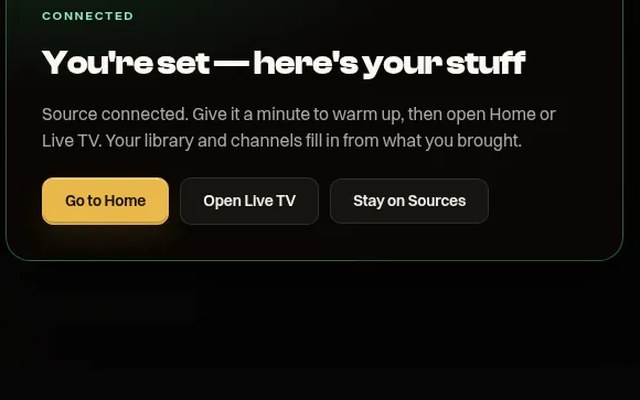
Sign in and connect a source on the web Sources page. Watch what your own source provides.
Questions, answered.
No. MIRA has no server to set up, run or maintain. Connect your own IPTV, debrid and add-ons once on the web, then sign in on your TV, browser or computer and watch.
Yes. Your IPTV and debrid stay separate subscriptions with your own providers. MIRA is the player that brings them together. Read the bring-your-own-source terms before you buy.
Live sports get one card per game, with up to 24 channels from your lineup airing it behind one Play button. Your IPTV, debrid and add-ons share one home with real posters, one membership covers your TV, browser and computer, and it costs $20 a year or $99 lifetime. See why people switch.
There is no native iPhone, iPad or Apple TV app yet. Today, iPhone and iPad use the web player in Safari, with nothing to install, and Android TV and Google TV get the full TV app on Google Play. See supported devices.
Compatible Fire TV models on Fire OS 6 or newer can sideload it with the Downloader app at miraplayer.tv/apk. Vega OS models do not run Android apps. The easiest TV setup is any Android TV or Google TV device, installed from Google Play. See the device list and install guide.
No, MIRA is its own player app, not a Kodi build or add-on pack. Video plays on your device, and your source logins are encrypted at rest. Read the privacy policy and source terms.
Because typing a long playlist link with a TV remote is miserable. Connect your Xtream Codes or M3U playlist, debrid accounts and Stremio add-ons once on the web, and every screen you sign into picks them up. The source setup guides walk you through it.
Same player, same features. $20 a year is the lowest way in; $99 lifetime is one payment with no renewals. MIRA Player is a US-based company, and web purchases have a 7-day refund on your first payment. Read the terms and refund policy.
$20 a year or $99 lifetime, with the same player either way. Web purchases have a 7-day refund on your first payment; email [email protected] within 7 days of purchase to request it. Annual renews automatically unless cancelled; see the billing terms and refund policy.
Yes, on a computer, iPhone, iPad or Android phone, with no install or plugins. What plays depends on your browser and your source's file formats. See supported devices.
Yes. One account supports up to six profiles including Kids, each with its own avatar and watchlist, and Kids profiles have an optional parent PIN on the TV app. One membership covers your household's TV, browser and computer screens.
IPTV (Xtream Codes or M3U), debrid accounts (TorBox, Real-Debrid, AllDebrid, Premiumize, Debrid-Link), Stremio add-ons and your own Jackett search. You add them once on the web Sources page, and every screen you sign into picks them up.
Android TV and Google TV are live on Google Play, with a sideload APK as an alternative. The web player works in the browser on a computer or phone. Windows, Mac and Linux apps are in early access. iPhone and iPad use the web player in Safari. There is no native iPhone or iPad app, and no Apple TV or Roku app, yet.
One account has up to 6 profiles. Each profile has its own watchlist. Continue Watching is shared across the adult profiles on an account, and a Kids profile keeps its own Continue Watching and can use an optional parent PIN.