A Kodi alternative for live TV and debrid on Android TV
What Kodi does that MIRA Player does not, and the other way round.
Kodi is free, open source software that organizes media you own, with live TV through third-party PVR backends. MIRA Player is narrower: a player for the IPTV, debrid and Stremio add-on sources you already have, in one catalogue on Android TV, Google TV and the web, for $20/year or $99 lifetime (one-time); 7-day refund on your first payment. This page compares features; it does not pick a winner.
What Kodi does (kodi.tv, 2026-10-18)
Kodi's own site lists music, movies, TV shows and photos from your collection, games through emulators, new skins, and PVR: watching and recording live TV through backends such as MediaPortal, MythTV, NextPVR and Tvheadend. Those backends are separate third-party software. Kodi runs on Windows, Linux, Android, Raspberry Pi, webOS and Apple platforms, lists 1,060 official add-ons, and says you can organize media you own and have rights to with no extra cost (kodi.tv, checked 2026-10-18).
What MIRA Player does instead
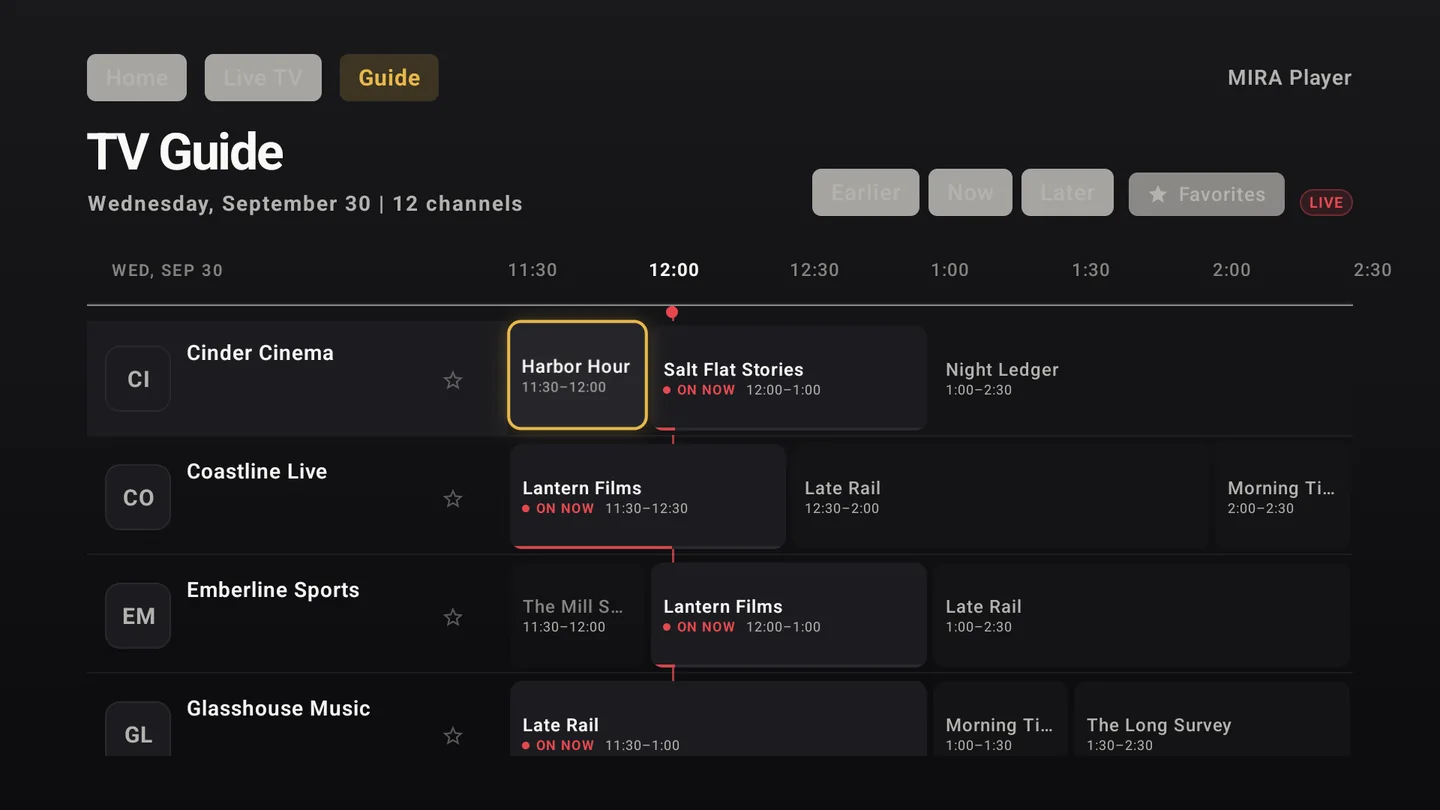
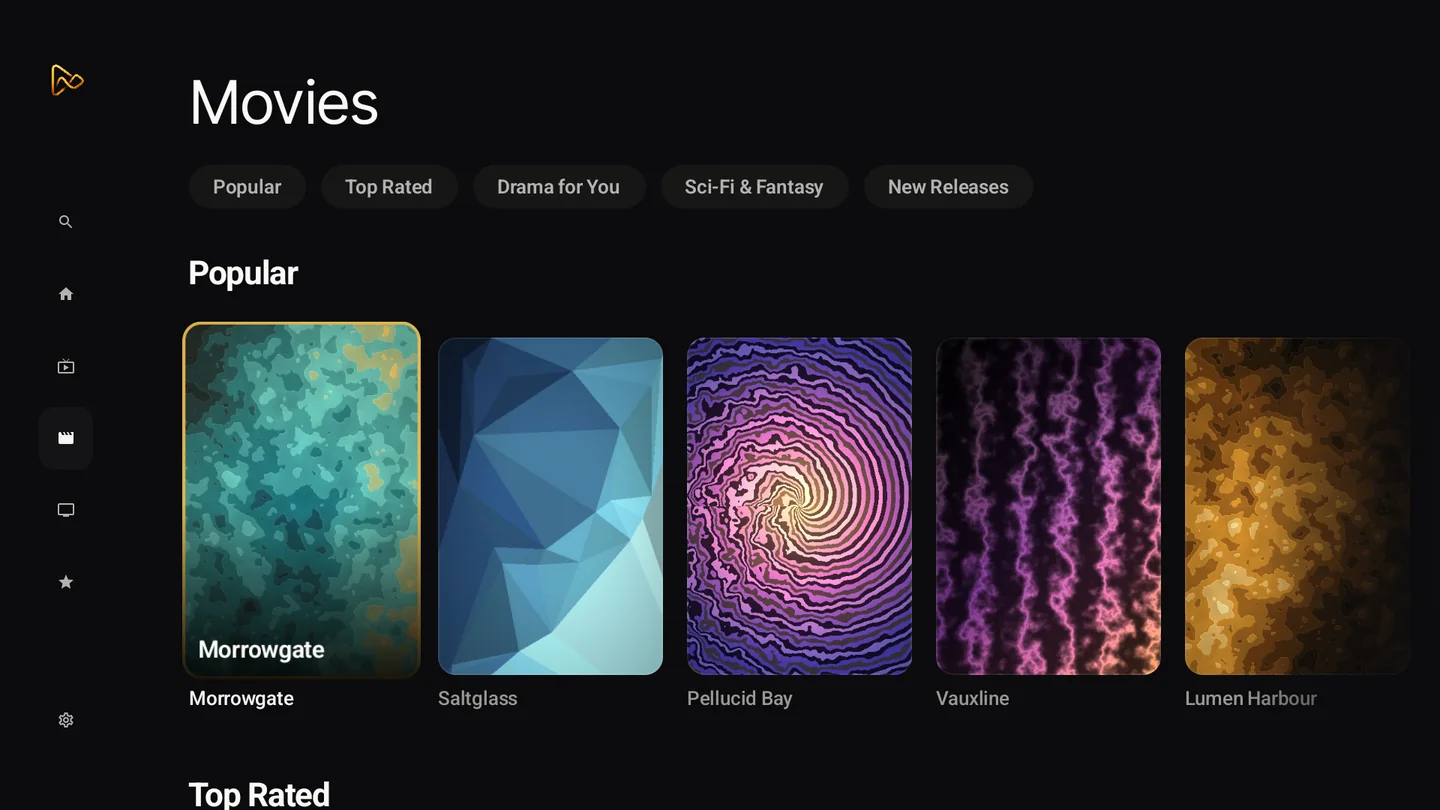
A local media library, live TV recording, skins and game emulators are not claimed for MIRA Player. It is a player for your connected sources: M3U or Xtream Codes IPTV with a live TV guide, five debrid services and Stremio add-ons by URL, in one catalogue with watchlist, search, Continue Watching and profiles including kids mode.
You connect sources in the web app at miraplayer.tv/app; your provider credentials stay between you and your provider. MIRA Player is a player, not a content service: it hosts, bundles and supplies no channels, movies or streams. Playback depends on your sources, device, codec support and network.
Debrid and IPTV in Kodi: unknown
Native debrid support and native M3U or Xtream Codes support in Kodi are not stated on kodi.tv as of 2026-10-18. Third-party add-ons exist for these, but we did not verify them, so the table says unknown rather than guessing.
| App | Price | Platforms | Live TV | Debrid | IPTV (M3U / Xtream) | Local media library | Source |
|---|---|---|---|---|---|---|---|
| Kodi (as of 2026-10-18) | free, open source (kodi.tv, 2026-10-18) | Windows, Linux, Android, Raspberry Pi, webOS, macOS/iOS/tvOS (kodi.tv, 2026-10-18) | watch and record via PVR backends: MediaPortal, MythTV, NextPVR, Tvheadend (kodi.tv, 2026-10-18) | unknown natively (not stated on kodi.tv) (as of 2026-10-18) | unknown natively (third-party add-ons not verified) (as of 2026-10-18) | yes: music, movies, TV shows, photos (kodi.tv, 2026-10-18) | source |
| Stremio (as of 2026-10-18) | free app; Supporter $39.99/year or $199.99 once (stremio.com/plans, 2026-10-18) | Android, Android TV, Windows, macOS, Linux, LG TV; Stremio Web for iPhone/iPad (stremio.com, 2026-10-18) | TV channels via add-ons; guide not stated (stremio.com, 2026-10-18) | unknown natively (not stated on stremio.com) (as of 2026-10-18) | unknown (not stated on stremio.com) (as of 2026-10-18) | unknown (not stated on stremio.com) (as of 2026-10-18) | source |
| MIRA Player (as of 2026-10-18) | $20/year or $99 lifetime (one-time); 7-day refund on your first payment (as of 2026-10-18) | Android TV / Google TV (Google Play, Android 7+), web app, Mac / Linux / Windows (early access), Fire OS sideload (as of 2026-10-18) | live TV guide over your own IPTV source; recording not claimed (as of 2026-10-18) | 5 debrid services (as of 2026-10-18) | M3U yes, Xtream yes (as of 2026-10-18) | not claimed (as of 2026-10-18) | source |
Data as of . Each row links its source and the date it was checked.
How to set up MIRA Player if you are coming from Kodi
- Subscribe. Pick a plan at miraplayer.tv/get: $20/year or $99 lifetime (one-time); 7-day refund on your first payment.
- Connect your sources on the web. Open miraplayer.tv/app and add your IPTV (M3U or Xtream Codes), debrid account or Stremio add-on URL. No add-ons are needed. Sources connect on the web, not on the TV.
- Install the TV app. Install MIRA Player from Google Play on Android TV or Google TV (Android 7+) and sign in with the same account.
- Open the live TV guide or the catalogue. Live channels appear in the guide; debrid and add-on titles appear in the catalogue. MIRA can try another eligible connected source when one fails; timing depends on the source and network.
Try it on your TV
MIRA Player is a media player for your own sources; it hosts nothing. $20/year or $99 lifetime (one-time); 7-day refund.
Get MIRA PlayerBring your own sources. MIRA Player provides no content.
FAQ
Is MIRA Player a Kodi replacement?
It is a feature comparison, your call. Kodi does things MIRA Player does not claim: a local media library, recording, skins and games. MIRA Player focuses on playing your IPTV, debrid and add-on sources in one catalogue.
Do I need add-ons?
No. You connect your own sources in the web app. Stremio add-ons are optional, by add-on URL.
Can MIRA Player record live TV?
Recording is not claimed. MIRA Player plays your live channels with a live TV guide.
Does it play files from my own drive or NAS?
A local media library is not claimed. MIRA Player plays the sources you connect: IPTV, debrid and Stremio add-ons.
How much is MIRA Player?
$20/year or $99 lifetime (one-time); 7-day refund on your first payment.
Does MIRA Player provide content?
No. MIRA Player is a player, not a content service: it hosts, bundles and supplies no channels, movies or streams.