TiviMate Premium vs Free: Is the Upgrade Worth It in 2026?
You can run TiviMate Free for years and be happy. Premium adds the parts that matter for serious cord-cutters: multiple playlists, recording, and a full week of guide data. Here is exactly what you get, what it costs, and what both tiers still leave out.
13 min read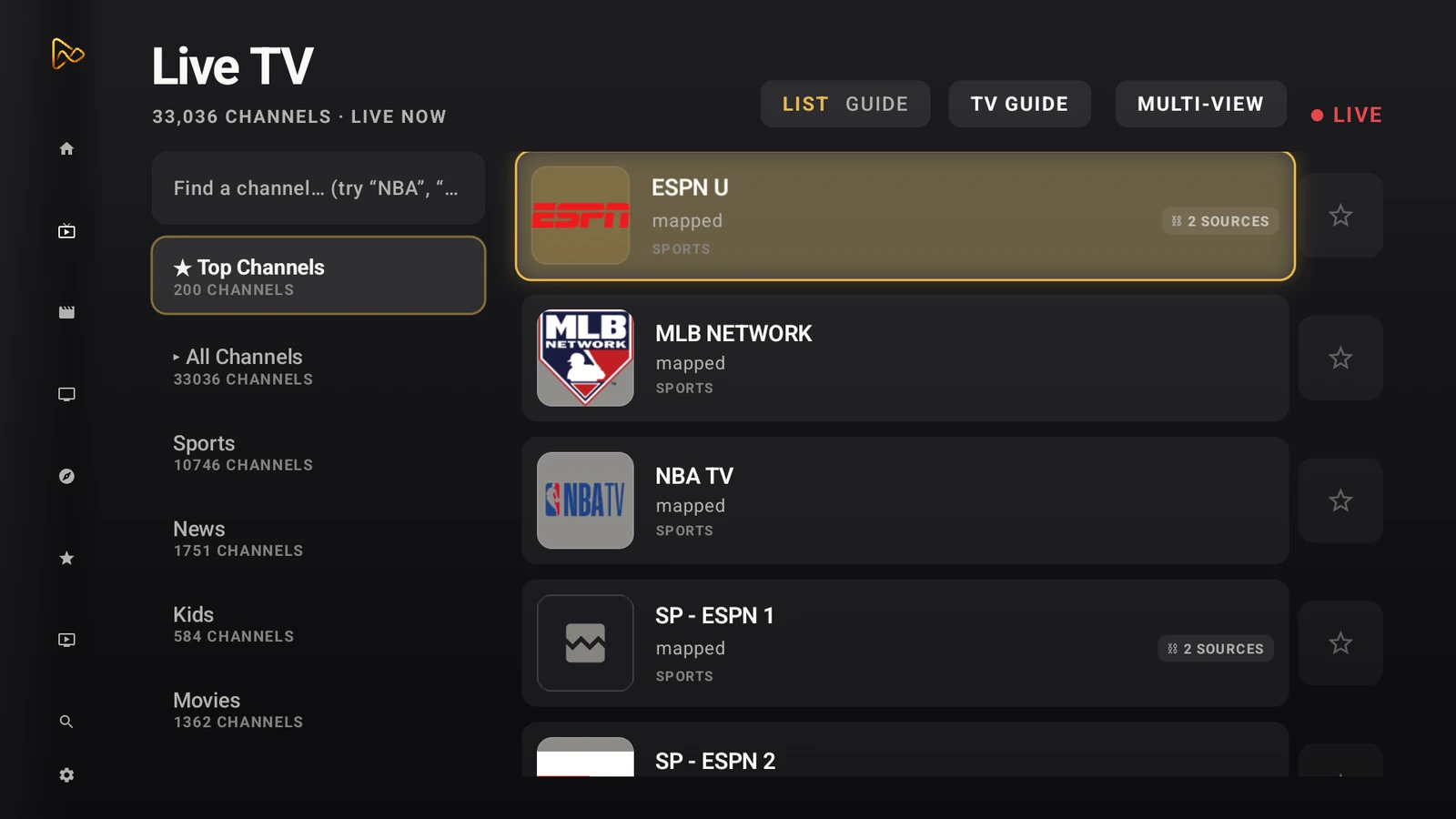
If you have spent any time researching IPTV players for Android TV, TiviMate sits at the top of most lists. It is one of the most polished pure IPTV players available, and it is the default recommendation in most cord-cutting communities for good reason. The interface is fast, the guide is clean, and channel zapping feels closer to real cable than almost anything else on the platform.
The question most people face is not whether TiviMate is good. It is whether the free version is good enough for the long haul, or whether Premium is money well spent. You see the free version recommended everywhere. It looks polished. It has the same EPG grid and the same smooth zapping as the paid tier. The honest answer is that TiviMate Free is not a crippled trial. It is a genuinely functional IPTV player with a real program guide, channel groups, and solid playback. The limit is intentional but narrow: the free version restricts you to one playlist and a basic guide window. If that matches your setup, you might never need to pay a cent.
This comparison covers what TiviMate Free users actually give up by staying free, what Premium adds, what both tiers still cannot do in 2026, and where a player like MIRA Player solves problems that TiviMate was never built to touch. One quick framing note before we start: MIRA Player is a player, not a content service. It connects to the IPTV, debrid, and subscription sources you already pay for. The same is true of TiviMate. Neither app supplies channels or movies. Both are the glass you watch your own sources through.
What does TiviMate Premium actually add over the free version?
TiviMate Premium removes the single-playlist restriction and turns on the advanced tier: unlimited EPG sources with a multi-day guide, recording to local or network storage, a catch-up window on compatible channels, multi-view picture-in-picture, and multi-device sync across several televisions through the Companion app. It changes a competent single-source player into a full living-room media center.
The single-playlist limit is the deciding factor for most users. Depending on how you watch, this is either a minor annoyance or a hard wall. If you have exactly one IPTV provider and it stays online, the free version works fine. If you keep a main provider for sports and a second provider as a backup for general channels, you cannot see both in one channel list on the free tier. Here is what actually happens on TiviMate Free when you want the other list: you open Settings, switch the active playlist, and wait for the app to reload that source. You cannot merge two providers into one unified guide, and you cannot fail over to the backup when the main one drops. That manual swap is the core experience the paid tier removes.
Recording is the second big addition. The free tier has no DVR scheduler at all, so there is no way to capture a late game or a show that airs while you are asleep. Premium adds a proper recording engine that writes to local storage or a network-attached drive, with scheduling from the guide itself. The guide expansion matters just as much for planners. On the free tier you see what is on now and a short window ahead. Premium pulls multiple EPG sources and a multi-day guide so you can browse the week and set recordings in advance.
Here is a direct breakdown of what each version includes:
| Feature | TiviMate Free | TiviMate Premium |
|---|---|---|
| Playlist limit | 1 | Unlimited |
| EPG sources / window | 1 source, short window | Multiple sources, multi-day guide |
| Recording (DVR) | No | Yes (local / NAS) |
| Catch-up | Supported channels | Supported channels |
| Multi-device sync | Single device | Multiple TVs (Companion app) |
| Multi-view (PIP) | No | Yes |
| Advertising | Ad-free | Ad-free |
Pick the free version if: You have one stable IPTV provider and do not need to record programs or scroll a full week of guide data.
Pick Premium if: You run multiple IPTV services, want to record live TV, share the setup across several televisions, or want the multi-view picture-in-picture mode.
Is TiviMate Premium pricing worth it next to subscription players?
TiviMate Premium is a one-time license rather than a subscription, which is a genuine cost advantage if you keep the same hardware for years. The lifetime license runs around $33.99 as a one-time purchase covering up to five devices (Google Play, as of June 2026), and the Companion app that enables multi-device sync is a separate purchase on top of that. From a pure dollars perspective, if you only ever watch IPTV from a couple of playlists, TiviMate is cheaper than almost any subscription player over a multi-year span. That is the honest case for it, and it is a strong one.
The trade-off shows up in what each model funds. A one-time license means the feature set is largely the one you bought. When TiviMate ships a major new capability, it has historically been able to gate it behind a separate purchase for existing owners, so "lifetime" covers the tier you bought rather than every future addition. A subscription player like MIRA Player works the other way: the $20-per-year price (as of June 2026) funds ongoing development, and new features land inside the active subscription. MIRA Player also includes a 7-day money-back guarantee, so the first two weeks are effectively a trial.
The deeper point is that the two players are not really competing on the same axis. TiviMate Premium is the value pick for IPTV-only watchers who want to pay once. MIRA Player is the pick when your sources span more than IPTV, because it natively handles things TiviMate does not: debrid playback, multi-link auto-failover, and a single library that blends live channels with on-demand files. You are not paying yearly for the same job. You are paying yearly for a different, wider job.
Pick TiviMate Premium if: You want a one-time cost and strictly watch IPTV from a few playlists.
Pick MIRA Player if: You want one player that aggregates IPTV, debrid, and your subscriptions, with new features included as the price renews.
What major features does TiviMate still miss in 2026?
TiviMate Premium is an excellent IPTV player, but it has real gaps the moment your setup reaches past standard M3U or Xtream playlists. It has no native support for Real-Debrid or TorBox, no multi-link auto-failover, no family profiles, and no cross-source search that pulls results from both your IPTV lineup and your on-demand library at once. These are not bugs. TiviMate is a focused IPTV tool, and these jobs sit outside that focus by design.
Auto-failover is the most impactful gap. Here is what actually happens when a stream dies on TiviMate: the picture freezes or goes black. You reach for the remote, open the channel list, pick another provider source for the same channel, and wait for it to load. The whole cycle runs anywhere from a handful of seconds to a minute or two, and during a live event that is exactly the window you do not want to miss. MIRA Player watches for the failure itself. When a source times out, returns an error, or freezes, it rotates to the next configured source automatically. As of 2026, MIRA Player is the only major Android TV player with native multi-link auto-failover built in. TiviMate, Stremio, and Kodi do not do it on their own. To be precise about what that buys you: failover does not stop the first stream from dying. It shrinks the recovery from a manual remote-driven scramble down to an automatic switch that happens in the background, with no remote touch on your end. Our IPTV auto-failover guide walks through the timeout, error-code, and frozen-frame triggers in detail.
Debrid playback is the second gap. If you use Real-Debrid or TorBox to stream cached files from your own legal sources, TiviMate is not built for that workflow at all. The usual workaround is to run a second app for debrid and keep TiviMate for live IPTV, then jump between them. MIRA Player connects both kinds of source and presents them in one library with one guide. If you are new to how debrid services work, our debrid streaming guide covers the setup and the legal-use framing.
Family profiles are the third. TiviMate keeps a single shared state. Everyone on the TV shares the same favorites, watch history, and recording schedule, so a kid reordering favorites changes them for the adult too. MIRA Player supports separate family profiles, each with its own watchlist, favorites, and guide configuration. The honest limitation worth naming on the MIRA side: a thin player gives you less of the deep per-channel manual control that a TiviMate power user enjoys tuning by hand. The auto-mapping does most of that work for you, which is the point, but hands-on tinkerers should know the tradeoff.
| Feature | TiviMate Premium | MIRA Player |
|---|---|---|
| Price | ~$33.99 one-time (as of June 2026) | $20/year (as of June 2026) |
| IPTV playlists (M3U / Xtream) | Yes (unlimited) | Yes (unlimited) |
| Real-Debrid / TorBox | No | Yes (native) |
| Multi-link auto-failover | No (manual switch) | Yes (automatic) |
| Family profiles | No | Yes |
| Unified library (IPTV + debrid) | No | Yes |
| Cross-source search | No | Yes |
| Credentials / data | Per TiviMate privacy policy | On-device, US-based |
| Trial / refund | No free trial, no refund | 7-day money-back guarantee |
How does the free version handle EPG, recording, and catch-up?
The free version gives you a working guide limited to one EPG source and a short window, usually the current day. Recording is fully locked out on the free tier, with no scheduler present. Catch-up works on channels that support it, which is one of the most useful things the free tier offers. The free guide is genuinely useful for live viewing. It is just shallow, and that shallowness is what Premium fixes.
EPG. Premium expands the guide to multiple EPG sources and a multi-day window, which is the single biggest day-to-day difference for anyone who plans viewing around the guide. Without Premium you see now and the next few hours. With Premium you browse days ahead and set recordings straight from the guide grid. In practice the free window covers roughly the current day rather than the week ahead, so it is fine for live viewing but thin for planning.
Recording. If you want to capture a 3 AM game, you need Premium. The free tier has no recording scheduler whatsoever. Premium recording writes to local storage or a network-attached drive and behaves like a standard DVR, including scheduling from the guide. The part most setup guides skip is that recording quality and reliability depend on the source stream itself. A flaky provider produces a flaky recording, because the app can only save what the source actually delivers.
Catch-up. Both tiers offer catch-up on channels that flag support for it, letting you scrub back through recent programming on those channels. The available window varies by channel and provider rather than being a fixed, published number, so how far back you can scrub depends on what your own source exposes.
MIRA Player approaches the guide differently. Instead of asking you to map which source feeds the guide for which channel, it attempts to match channels across every connected playlist and source into one unified guide automatically. That cuts the manual mapping work compared with TiviMate's per-source process. Channel matching is never perfect on any player, so a handful of oddly named channels may still need a manual nudge, but the default does most of the heavy lifting. Our how to watch IPTV on Android TV guide walks through both approaches end to end.
Does TiviMate run well across Android TV and Google TV hardware?
Yes. TiviMate is built specifically for the living-room form factor, so it handles the D-pad remote, the leanback guide layout, and the focus model of Android TV correctly. That is a real strength worth stating plainly: it feels native because it follows the platform's TV conventions rather than stretching a phone app onto a big screen. On low-cost boxes and sticks it stays responsive, and on stronger hardware it is one of the snappiest guides you can run.
The reason both TiviMate and MIRA Player feel at home here is that Android TV gives developers a dedicated interface model. The platform's leanback patterns, the recommendation rows, and the remote-first navigation are documented in the Android TV developer docs, and a player that respects those patterns will feel faster and more predictable than one that ignores them. When you compare players on Android TV, judging how closely each one follows that TV-first model is a better signal of day-to-day comfort than a raw feature checklist.
Where the players diverge is breadth of source, not platform fit. TiviMate is tuned tightly around IPTV input. MIRA Player follows the same TV-first conventions but widens the input to debrid and subscription sources, then leans on auto-failover and unified search to keep that wider set feeling like one app instead of several. If your only input is IPTV, TiviMate's tighter focus is a feature. If your inputs are mixed, the wider model earns its keep.
Should you upgrade to TiviMate Premium or switch to MIRA Player?
The honest answer depends entirely on how many kinds of source you actually use in a normal week. If you have one IPTV provider and never watch recorded TV, free TiviMate may be all you need. If you keep a backup provider or want DVR, Premium is a worthwhile one-time upgrade. If your week already spans live IPTV, debrid for movies, and maybe your own media, a unified player like MIRA Player starts to make clear sense because it removes the app-juggling entirely.
Upgrade to TiviMate Premium if:
- Your only source is IPTV with stable providers.
- You want a one-time license instead of a recurring payment.
- You need the same setup synced across several televisions.
- You do not use debrid services.
- Automatic failover is not a concern for how you watch today.
Switch to MIRA Player if:
- You have multiple IPTV sources and want them merged into one guide automatically.
- You use Real-Debrid or TorBox for movies and shows.
- You want failover so you stop manually swapping dead streams.
- You want family profiles with separate watchlists and guide setups.
- You want one library for IPTV, debrid, and subscriptions instead of several apps.
| If you value... | Pick this player |
|---|---|
| Lowest cost over the life of one device | TiviMate Free |
| Multiple playlists plus recording | TiviMate Premium |
| Debrid playback plus auto-failover | MIRA Player |
| One app for IPTV, debrid, and media | MIRA Player |
| A simple IPTV-only experience | TiviMate Free or Premium |
Running both is also a perfectly reasonable answer. Plenty of cord-cutters keep TiviMate for one live-IPTV setup and MIRA Player for everything else. The goal is a setup that works without friction, not loyalty to a single icon on the home screen. For a feature-by-feature breakdown of the two, read our TiviMate vs MIRA Player comparison. If you are still mapping out the bigger picture, our cord-cutting guide for 2026 puts both players in the context of a full setup.
Frequently asked questions
Does TiviMate Free have a time limit or expire?
TiviMate Free does not have a time limit and does not expire. It permanently limits you to one playlist and a basic guide window. Premium is a one-time purchase that turns on the advanced features without a recurring subscription.
Can I use TiviMate Premium on multiple devices?
Yes. TiviMate Premium can sync across several televisions through the Companion app, which has its own separate purchase. The free version is tied to the single device you first installed it on.
Does TiviMate work with Real-Debrid or torrent sources?
No. TiviMate is an IPTV player for M3U and Xtream Codes playlists. It does not connect to Real-Debrid, TorBox, or any other debrid service. For debrid playback alongside IPTV, you would use a player like MIRA Player, or run a separate debrid-capable app next to TiviMate.
Can I record IPTV on TiviMate Free?
No. Recording is a Premium-only feature. The free version has no DVR scheduler and cannot record to local or network storage. Catch-up is available on supported channels in both tiers.
Does TiviMate have multi-link auto-failover?
No. TiviMate does not switch sources automatically when a stream dies. You change to another source manually with the remote. As of 2026, MIRA Player is the only major Android TV player with native multi-link auto-failover, which rotates to the next configured source on its own when a stream fails.
Is MIRA Player a streaming service or a player?
MIRA Player is a player, not a content service. It does not host or supply channels, movies, or streams. It connects to the IPTV, debrid, and subscription sources you already pay for and presents them in one library, the same way TiviMate connects to your own IPTV playlists.
For IPTV alone, TiviMate Premium is one of the best one-time values in the space. If your setup needs more, namely auto-failover, debrid, and one unified library, MIRA Player brings it together in a single Android TV player for $20 a year.
Get MIRA Player for $20/year